Sunday, June 09, 2013

Audix APS 910 - Inline Phantom Adapter

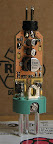
This adapter allows you to connect "normal" electret-type microphones to differential, phantom-powered inputs, like the ones to be found on sound mixing desks. I got one of those, but as the pinout was not mentioned anywhere, I made these photographs.

http://www.audixusa.com/docs_12/units/APS910.shtml

Mini-XLR pinout is supposed to be: 1: GND, 2: Signal, 3: Vbias. Even though the supply pin (3) is quite susceptible to noise coupling into the adapter output, Firther more, the signal pin (2) itself has a 1k or so pullup to Vbias. So to connect to a 2-pin electret microphone, just connect only pin 2. If you need more bias current, also connect pin 3, but then your signal will be slightly attenuated.

Phantom supply current is preetty high, at around 5mA each on "Hot" and "Cold" pins. (P48 on my mixing desk goes down to 13V when the adapter is connected)

From Chris’ Miscellanea

From Chris’ Miscellanea

From Chris’ Miscellanea


From Chris’ Miscellanea

Friday, May 31, 2013

Reboot your Arch-linux running computer early, in case some vital component failed to initialize (a.k.a. e1000e_fsckup_initcpio)

Ok, so this is embarrassingly primitive, but so that I don't loose it (again), I put this small script on github. Maybe someone else having a problem with things not initializing properly on every boot can find the concept useful: I have a computer based on a “DFI LanParty Mini-ITX P55-T36” motherboard with an integrated Intel Gigabit interface. Which works fine so far, but always fails to initialize networking on the first bootup after power-on. This is obviously inconvenient for unattended operation.

To fix this once and for all and reboot the computer early, feel free to use the code at https://github.com/vogelchr/e1000e_fsckup_initcpio.

From Chris’ Miscellanea

Thursday, May 30, 2013

Antlers (May 2013 edition)

I was on vacation again, so here's the obligatory antlers picture. I already posted another one elsewhere, but that was taken with the (a little bit) crappy phone camera and doesn't do the wallpaper and the antlers justice.


From Chris’ Miscellanea

Sunday, May 19, 2013

Wireless on Raspberry π, Power Issues

I'm playing with a Accellerometer/Gyroscope/Magnetometer board (ebay, link probably stale soon), and to have it somewhat mobile, I've connected it to the ole' trusty Raspberry π.

Unfortunately I have problems with a lot of WiFi adapters because of the many fuses inside of the π dropping voltages (starting with 4,5V from my Notebook/USB hub, it goes down to 3,8V on the USB connector). But adding a short wire bridging all those fuses helps ;-).


The dongle used is really old, it's a 

Bus 001 Device 005: ID 07b8:b21d AboCom Systems Inc RT2573

and gets quite warm (correlates well with the high power consumption and hence voltage drop on the fuses), also looses contact with my (just nearby) access point frequently.

[ 2140.585617] ieee80211 phy0: wlan0: No probe response from AP 68:7f:74:5e:42:ff after 500ms, disconnecting.
[ 2140.607093] cfg80211: All devices are disconnected, going to restore regulatory settings
[ 2140.607132] cfg80211: Restoring regulatory settings
[ 2140.607420] cfg80211: Calling CRDA to update world regulatory domain
[ 2141.948125] wlan0: authenticate with 68:7f:74:5e:42:ff
[ 2141.996396] wlan0: send auth to 68:7f:74:5e:42:ff (try 1/3)
[ 2141.998072] wlan0: authenticated
[ 2141.998877] rt73usb 1-1.2:1.0: wlan0: disabling HT due to WEP/TKIP use
[ 2141.998912] rt73usb 1-1.2:1.0: wlan0: disabling HT as WMM/QoS is not supported
[ 2142.035630] wlan0: associate with 68:7f:74:5e:42:ff (try 1/3)
[ 2142.037914] wlan0: RX AssocResp from 68:7f:74:5e:42:ff (capab=0x431 status=0 aid=20)
[ 2142.037943] wlan0: invalid AID value 0x14; bits 15:14 not set
[ 2142.057687] wlan0: associated


Sunday, March 31, 2013

Happy Easter

And remember: As long as the eggs aren't completely covered in snow, it's spring enough.

From 2013-03-31

Friday, March 29, 2013

Webmail Notifier - Linux Hidraw

I got myself a plastic toy: A small box with a controlable LED that can be turned on- or off, with the intention of notifying the user of unread emails.

https://www.google.de/search?q=webmail+notifier&tbm=isch

My incarnation of this relatively simple concept identifies itself with a USB VID/PID of 0x1294:0x1320:


# lsusb -s 1:14
Bus 001 Device 014: ID 1294:1320 RISO KAGAKU CORP.


And it shows itself in the kernel log as follows:


[10772.855386] usb 1-1.6: new low-speed USB device number 15 using ehci-pci
[10772.949641] hid-generic 0003:1294:1320.000D: hiddev0,hidraw2: USB HID v1.10 Device [MAIL MAIL ] on usb-0000:00:1a.0-1.6/input0


As it registers itself with the HID subsystem, we can use the resulting hidraw device to talk to it without using any script or tool, just make a convenience symlink with useable permissions using a small udev rule:


$ cat /etc/udev/rules.d/99_webmail_notifier.rules
# USB Webmail Notifier (RGB LED)
SUBSYSTEM=="hidraw" SUBSYSTEMS=="usb", ATTRS{idVendor}=="1294", ATTRS{idProduct}=="1320", GROUP="users", MODE="0660", SYMLINK="webmailnotify"


Then you can make it change its colour with a simple echo-command in any script:


$ echo -en '\001\0\0\0\0' >/dev/webmailnotify


The only ugly thing about it: It seems to send back some HID report which confuses and angers the kernel routines, but this shall be dealt with at some later point.


[11170.163495] hid-generic 0003:1294:1320.000D: extract() called with n (56) > 32! (swapper/0)


Saturday, February 09, 2013

AES/EBU to ‘SPDIF’  - ghetto style


For interfacing AES/EBU to S/PDIF, I've built a simple transformer out of a small ferrite core, I was planning to convert the 110Ω symmetric AES/EBU signal coming out of a surplus ADC/DAC (I love you, eBay ;-) ...) to the S/PDIF of my computer interfaces (and vice-versa).

There's a nice text about all this over at RANE, but normal people just shell out the 100€ for two of Neutrik's transformers in a box.

The screenshots below show the output of the transformer, terminated by 75 Ohm (or by the audio-interface S/PDIF input, looks identical) when driven by the AES output. I wanted to hide everything in the XLR connector shell, and hence the ferrite beads are pretty small. Therefore they saturate visibly at 32kHz fs, but it works fine for this signal direction. At 96kHz everything looks perfect.


From Chris’ Miscellanea

From Chris’ Miscellanea

From Chris’ Miscellanea

The other direction works not as nicely: All of my audio-gear has a pretty high output impedance on the S/PDIF outputs! With a open output, I get something like 3-5VPP of signal swing, but terminated it goes down to 500mV (just as the spec says). With the saturating ferrite beads, the high-impedance outputs cannot provide the additional current, and the ideally square-shaped output degenerates to tiny spikes of both polarities and is completely unusable. The not-very-pretty-but-working-solution: Just connect the SPDIF to AES 1:1, but keep cable lengths short. (no scope, screenshots, sorry).

Monday, January 14, 2013

M-Audio Fast-Track Pro PCB Pictures

I'm a little annoyed by the limitations of the M-Audio Fast-Track Pro, so I'm thinking about how to mod it. My main grief is the abysmally bad windows drivers that bluescreen constantly under Win7. Then there is the limitation of USB1.1, which does not have enough bandwidth for anything more than 2x24/96 streams. My plan is to make a normal standalone S/PDIF ADC/DAC (2in, 2out, 24/96) out of it.

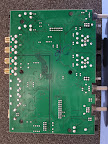
First, I took a few pictures of the two PCBs inside the unit, and traced a few signals. You can see immediately that the electronic layout of the unit is very tidy!

Main integrated components:
Misc. Digital
The phantom voltage generator has a venerable NE555!

OP-Amps
  • NJM2115 NRC Dual Operational Amplifier
  • NJM3414 NRC Single Supply Dual High Current Operational Amplifier (Headphone Out)


From M-Audio Fast Track Pro

From M-Audio Fast Track Pro

From M-Audio Fast Track Pro

From M-Audio Fast Track Pro

From M-Audio Fast Track Pro

Thursday, January 10, 2013

Note: Archlinux and Xorg Keyboard Layout

Archlinux for me seems to miss any magic that takes care of automatically providing the correct keymap to xorg's input driver. To make udev provide the correct settings to xorg, this small udev-rule works.

[root@fbsd ~]# cat /etc/udev/rules.d/99_keyboard_keymap.rules
SUBSYSTEM=="input", ENV{ID_INPUT_KEYBOARD}=="1", ENV{XKBMODEL}="pc105", ENV{XKBLAYOUT}="de", ENV{XKBVARIANT}="nodeadkeys"

So far it's understood by xorg just fine.

[  2888.705] (II) XINPUT: Adding extended input device "Das Keyboard" (type: KEYBOARD, id 8)
[  2888.705] (**) Option "xkb_rules" "evdev"
[  2888.705] (**) Option "xkb_model" "pc105"
[  2888.705] (**) Option "xkb_layout" "de"
[  2888.705] (**) Option "xkb_variant" "nodeadkeys"

Friday, December 28, 2012

☠⚠⚡☔☣☢☹⛈ Windows 8...

Got myself Win8 for €30 (upgrade from a old Student-for-Free Vista license I never used, instead of €150 it looked like a bargain). My normal computer went bad, and I'm playing with a replacement device while waiting for replacement parts to arrive.

This Metro-bathroom-tiles stuff is so incredibly distracting when you want to do real work. Click on a mp3 file, ... *BAM!* fullsceen mp3 player (how could I ever live without such a thing. I mean, music players are meant to get your full attention while reproducing the music). Add a printer? *BAM!* Fullscreen "Add a device" app.

The builtin graphics drivers of the rather old Nvidia Quadro always crash when trying to accellerate video decode. There's a third party tool to turn it off, recommended frequently because it seems to be pretty normal that video accelleration crashes, with a lot of different graphics cards. One of my soundcards is no longer supported, the other one (M-Audio Delta 44) has the usual fucked-up drivers all "Pro Audio" gear has, because all these companies universally employ morons to do the programming who eventually just pick lame excuses out of their ... Oh my, I'm angry..


Apparently "Skype" is now built in. But: It refuses to let you use it without converting your "old" skype account into a "Windows live ID". And I learned that the new bathroom-tile-version doesn't do file-transfer. WTF?!

Sorry, Microsoft, I really wanted to try out this new thing and tried to be open about it, but you made usability for non "grandma got a tablet PC for Christmas" users really abysmally bad, I'm quite frustrated after only a few hours of light use.

And I cannot understand how this usage paradigm of full-screen apps should map to people doing actual work, instead of browsing the web and playing with facebook. And I cannot understand why it cannot be disabled completely (with tile-apps running in a window, for example).


When the parts for my other PC (the motherboard apparently went bad the last few weeks, with LAN and SATA controller deteriorating) arrive tomorrow or on monday, I'm pretty sure what OS I'll NOT install.

Sunday, December 16, 2012

Betty Remote

A friendly colleague gave me a Betty Remote. It's a marvelous device as a dirt-cheap ARM7 (LPC2200) eval board and flashing worked so far, JTAG not. I have the wrong toolchain to compile the firmware, and the keyboard matrix seems to be broken (registers random wrong key presses). :-(


From chris' blog

From chris' blog

Thursday, December 06, 2012

Note: Archlinux on the Toradex T20

Update (November 2016): Archlinux on the Toradex T20 (with Archlinux' kernel)

A lot of people got hold of a Toradex T20 board which was given away in exchange to a €20 donation to the red cross (if I remember correctly).

To get Archlinux running quickly on the T20 running the rootfs from a micro-sd card (kernel stays on internal NAND flash, so does the toradex firmware):

  • Get the ARMv7 Tegra2 TrimSlice root filesystem and put it on a micro-sd card (first partition, create a ext4 filesystem for it).
  • Getl the T20_LinuxImageV2.0Alpha2_20121019.tar.bz2 from Toradex, put the T20 module into recovery mode and install the linux-image as prescribed on Toradex' website.
  • Boot the T20 board, interrupt the boot sequence. Add the following two environment variables to the u-boot bootloader:
setenv myargs ip=off root=/dev/mmcblk0p1 rootfstype=ext4 rootflags=data=writeback,commit=15
    setenv myboot run setup\; setenv bootargs \${defargs} \${myargs} \${mtdparts} \${setupargs}\; echo Booting from NAND...\; nboot ${loadaddr} 0 ${lnxoffset} \&\& bootm
    • Run your image.
    run myboot
    • If you are satisfied with the result, save this modification with...
    setenv bootcmd run myboot
    saveenv


    Monday, November 26, 2012

    MOTU 882 MK2 Mic Preamp Input

    Today I disassembled a MOTU 882 MK2 Audio Interface that exhibited significantly increased noise on one of the microphone preamplifier inputs. While I had the unit open, I made this quick sketch of the input circuitry:

    From chris' blog


    From chris' blog


    Interestingly the MOTU does not use a specialized microphone amplifier (such as the SSM2019 for example) but the standard instrumentation amplifier layout known since the dark ages, built from a NJM2068 dual opamp.

    The next funny thing to notice: MOTU put a bridge rectifier on top of the SMD opamp (which has been removed in the photograph, it's normally sitting in the four holes on the corner of the small IC). It's protecting the amplifier from voltage swings out of the V- to V+ range. It's also missing from the hand-drawn schematic, it's on the positive inputs to the left opamp. In the end it turned out that this bridge rectifier was the cause of the increased noise. I replaced it with Z-diodes altogether, and now both channels (the unmodified one, and this one) show exactly the same (good) noise-spectra.

    Monday, November 19, 2012

    ligthdm: custom app on login screen

    It's not rocket science, but it took me a while to collect all the pieces, so here's a short summary, mainly to serve as a reminder to myself: I need the IP address of a computer displayed on the login-screen (using lightdm), because every day it gets a different dynamic IP address and I want to login over the network, and logging in on the console just to type ifconfig (or ip addr) is cumbersome. No, it's not in DNS. No, using mdns/avahi doesn't work either in this particular instance. It's a laptop sitting just next to me on my desk.

    So, without further adue:

    • install conky
    • in /etc/lightdm/lightdm.conf:
      greeter-setup-script=/etc/lightdm/greeter-setup.sh
    • in /etc/lightdm/greeter-conky.conf
      (...)
      xftfont Ubuntu Mono:size=18
      (...)
      TEXT
      (...)
      eth0: ${addr eth0}, eth1: ${addr eth1}

    From chris' blog

    Tuesday, November 13, 2012

    RANT: complications of converting a picture to a pdf...

    I just spent about one hour looking for a small tool (i.e. NOT starting libreoffice and putting a picture on a empty page, export as pdf) that will preserve resolution and geometrical size of a scanned-in bitmap and put it centered on a blank (A4-paper) page.

    I assume that for every permutations of {'png','jpg','tiff','bmp','xpm',...},{'to','2'},'ps' there will be some tool in Ubuntu's repository, but they all seem to...
    • mess with the aspect ratio
    • either assume some fixed input resolution (ImageMagick's convert, for example) which gives you tiny, tiny, tiny output pdf-files (I could not reproduce the calculations it does) or correctly sized pages with the image enlarged until it fits border-to-border
    • re-sample the image so that the output file is huge, and image quality sucks.
    But today, I finally found the small python script again I've written back in 2007, used through most of my university time (for scanning in travel invoices, notes, ...) and which still works \o/ . It's not a very pretty tool, but hey, at least it does what's advertized!
    Have fun with it, in case you have to send in your Arbeitsunfähigkeitsbescheinigung like myself, being sick and getting MENTAL BECAUSE OF ALL THESE USELESS TOOLS one has to keep up with.

    Wednesday, November 07, 2012

    80C51P32

    Found this ancient (well... almost, it's from about 1982) chip at work. It's a development version for applications where a mask-programmed 80C51 will ultimately be used, and you therefore don't have means to plug in separate ROM chips onto your circuit board:

    As long as you are working on the software, you can burn it into (erasable, changeable) PROMs that get plugged into the piggyback-socket on top of the 80C51Px. Once you've finalized your code, you'll use OTP (one-time-programmable) or mask- (factory-)programmed chips that are, of course, much cheaper. The chip has pins in standard DIL-40 layout on the bottom, the piggyback sockets on top are also standard DIL-28 spacing.

    From chris' blog


    Interestingly, while this chip family is as old as rocks, software-compatible parts with much higher performance are still being produced, e.g. by Silabs.

    Sunday, October 07, 2012

    Legacy X background

    I know that you missed it since the day Xorg switched to an all-black default background.

     $ xsetroot -fg black -bg white \
       -bitmap /usr/include/X11/bitmaps/root_weave


    Saturday, October 06, 2012

    German iBook G4 Keyboard

    I currently have a iBook-G4 on my desk, running Linux. Everything is dandy, only a few things with the keyboard are odd. Two keys are swapped: “°^” (to the left of the number 1-key on a German keyboard) and “<>” (to the left of “Y” on a German keyboard)". And the right ALT key seems to be mapped to the “Enter” function. I got it running after messing around with the Xorg xkb settings (which is a nightmare, btw.) but it is clear that the problem is somewhere deeper.

    There’s some serious mapping error for this keyboard in the kernel’s table stored in adbhid.c.

    Key ADB Code Key is… Key should…
    <> 0x32 KEY_GRAVE KEY_102ND
    °^ 0x0a KEY_102ND KEY_GRAVE
    R-Alt 0x34 KEY_KPENTER KEY_RIGHTALT

    Here’s a patch that makes this keyboard behave:

    $ cat ~/adbhid_c.patch
    --- ./drivers/macintosh/adbhid.c.orig   2012-10-06 15:52:16.032673677 +0200
    +++ ./drivers/macintosh/adbhid.c        2012-10-06 16:23:23.708911092 +0200
    @@ -798,7 +798,7 @@

                    memcpy(hid->keycode, adb_to_linux_keycodes, sizeof(adb_to_linux_keycodes));

    -               printk(KERN_INFO "Detected ADB keyboard, type ");
    +               printk(KERN_INFO "Detected ADB keyboard, type (%x) ",original_handler_id);
                    switch (original_handler_id) {
                    default:
                            printk("<unknown>.\n");
    @@ -807,11 +807,19 @@

                    case 0x01: case 0x02: case 0x03: case 0x06: case 0x08:
                    case 0x0C: case 0x10: case 0x18: case 0x1B: case 0x1C:
    -               case 0xC0: case 0xC3: case 0xC6:
    +               case 0xC0: case 0xC6:
                            printk("ANSI.\n");
                            input_dev->id.version = ADB_KEYBOARD_ANSI;
                            break;

    +               case 0xC3:
    +                       printk("ANSI (iBook G4 German).\n");
    +                       input_dev->id.version = ADB_KEYBOARD_ANSI;
    +                       hid->keycode[0x32] = KEY_102ND; /* German: left of Y, less/greater */
    +                       hid->keycode[0x0a] = KEY_GRAVE; /* German: left of 1 */
    +                       hid->keycode[0x34] = KEY_RIGHTALT;
    +                       break;
    +
                    case 0x04: case 0x05: case 0x07: case 0x09: case 0x0D:
                    case 0x11: case 0x14: case 0x19: case 0x1D: case 0xC1:
                    case 0xC4: case 0xC7:

    Thursday, October 04, 2012

    Facts about my Dishwasher

    Things I learnt about my dishwasher today:

    • It has a Mitsubishi M38503M4-722FP micro controller with 512 byte RAM and 16kByte of mask-programmable ROM, which, frankly, is quite a lot for doing the dishes.
    • There is a debug-connector with serial port Tx/Rx, GND and Vcc on the side of the controller PCB, but there's no signal on the pins it because apparently the controller is broken.
    • It has probably be killed by overvoltage, more precisely by the kind overvoltage that also made the (I assume) 7805 on the other PCB explode violently.
    • 7805 tend to explode violently if a power-relay next to it shorts, and burns through half of the PCB, and I assume it did so with a ball of conducting gas or plasma generated under the relay, feeding 230V AC to what previously was a +5V Vcc line.
    • PCBs that short and burn through half of the material make the whole kitchen stink like burnt electronics.
    • I think need a new controller for my dishwasher.


    Sunday, September 16, 2012

    Just download 8 GB and you are set...

    Hey, Xilinx. Thanks for giving out your FPGA development environment for free (as in beer) and all... but seriously WTF: Since I downloaded it the last time (about a year ago), the size of the download increased from 4GB to 8GB?! Moores law in full effect?


    (note: I still have only 2MBit DSL around here)

    Furthermore: They send you a (uncompressed) .tar, which includes xz-compressed .zip archives.

    $ tar tf Xilinx_ISE_DS_14.2_P.28xd.3.0.tar
    Xilinx_ISE_DS_14.2_P.28xd.3.0/
    Xilinx_ISE_DS_14.2_P.28xd.3.0/idata/
    Xilinx_ISE_DS_14.2_P.28xd.3.0/idata/ise_0090.zip.xz
    Xilinx_ISE_DS_14.2_P.28xd.3.0/idata/dsp_tools_0006.zip.xz
    (...)